Christmas shopping on Shopify runs in waves: gift ideas in November, a rush before the last shipping day, and last-minute buyers right up to the 24th. Each wave wants something different from your store.
The setup below is meant to go in once, in November, and run on its own until January. It helps shoppers find a gift, makes the order bigger, and keeps selling after your last shipping day.
Set it up early, then leave it alone
December is the worst time to try a new app or rebuild a page. Traffic is at its highest, and a broken cart costs the most. Put everything in place in November, place a real test order on your phone, and only change copy and dates after that.
1. Gift boxes that shoppers build themselves
“What do I get them?” is the question behind most Christmas visits. A box answers it: the shopper picks a box size, fills it with what the person likes, and the box discount comes off when it is full. It turns three separate decisions into one gift, and it raises the order without a single upsell.
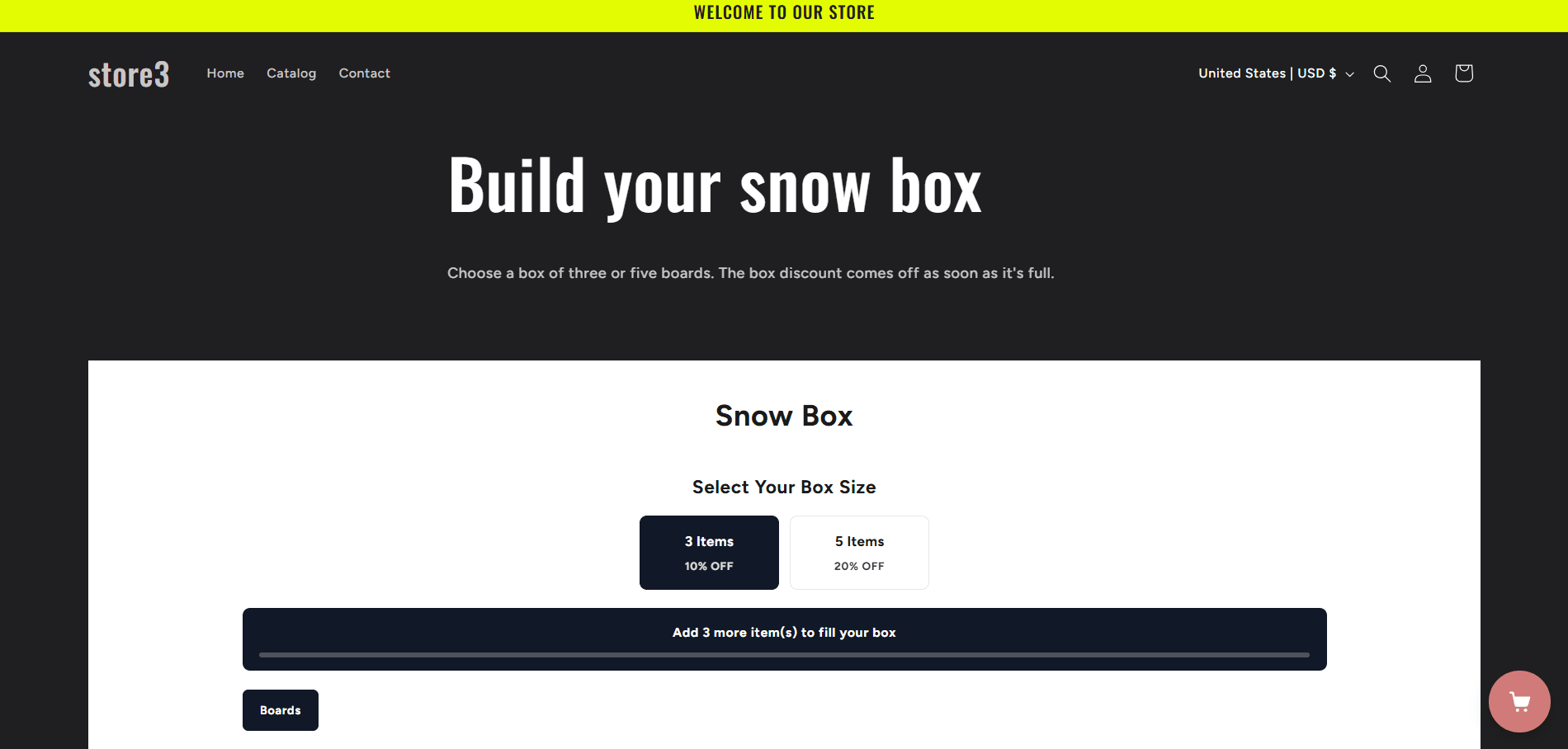
- Name it as a gift: “Build a gift box”, “The stocking filler box”.
- Offer two sizes, with a bigger discount on the bigger box.
- Put it where people land: the home page, a holiday collection, your gift guide. The Flash Bundle block puts the box on any page of your theme.
2. A small surprise in the cart
Gift buyers like getting something too. A free gift above a cart value works well, and so does a moment of surprise: in the cart drawer, a gift box the shopper taps to open, which reveals a deal.
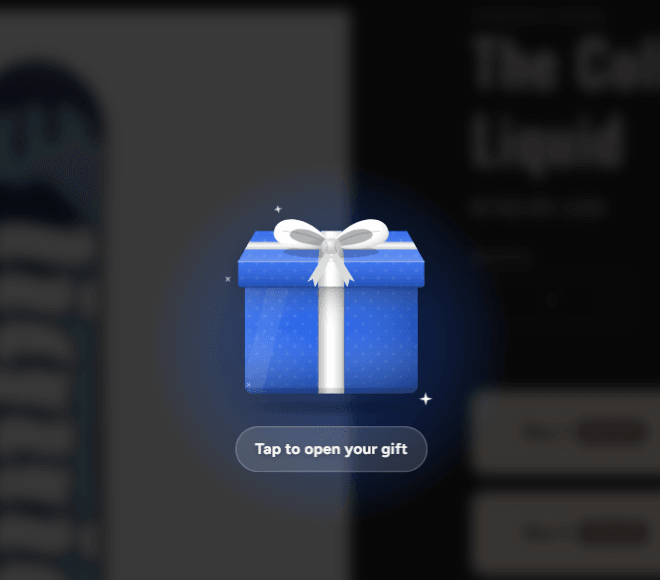

This is the Spin Deal in Flash Cart Drawer Upsell, shown as a gift. You choose the deals it can hand out and how long the shopper has to grab one. For a plain “spend this much, get this free” gift, the cart’s reward bar adds the gift by itself once the cart qualifies.
3. Gift wrap in the cart
Many Christmas orders are shipped straight to someone else. Offer gift wrap as a paid add-on in the cart, one tick away, and say what the person receives. It saves the buyer a job and adds a little to the order. Flash Cart Drawer Upsell has gift wrap as an add-on, next to shipping protection.
4. Say the last order date, everywhere
The most common Christmas question is “will it arrive in time?”. Answer it before it is asked:
- Check each carrier’s published holiday cut-off dates for the places you ship to, and pick your own last order date with a day or two to spare.
- Show it in an announcement bar with a countdown: “Order by December 18 for Christmas delivery”. The cart drawer’s announcement bar can carry the timer.
- Put the same date on product pages and in your shipping policy.
5. Keep selling after the last shipping day
When the countdown hits zero, most stores go quiet. Yours can switch to gifts that do not need a truck:
- Digital products such as guides, templates, courses or presets. Flash Digital Downloads emails a secure download link the moment the order is paid, so they work on December 24.
- Gift cards, which Shopify sells and delivers by email out of the box.
- Clear wording for physical items: “Arrives after Christmas”, so nobody is surprised.
Change the announcement bar to match the day after your cut-off.
6. One more offer after checkout
A shopper buying gifts often has one more person on the list. A one-click offer after payment, such as a stocking filler or a second gift at a small discount, adds to the order without asking for the card again. Flash Upsell shows it on the post-purchase and thank-you pages.
Your checklist
- Gift boxes or bundles live on the pages your holiday traffic lands on
- A free gift or a small surprise in the cart for orders above a value you choose
- Gift wrap offered in the cart, with a price
- The last order date for Christmas delivery in an announcement bar with a countdown
- A plan for after that date: digital products, gift cards or “arrives after Christmas” wording
- One-click offer after checkout
- A test order placed on mobile, then hands off until January
Getting ready for Black Friday first? Start with how to get a bigger average order value this Black Friday. Most of it carries straight into December.