A discount code box sits at the bottom of most carts, and it is easy to walk past. A shopper without a code has nothing to type, so the box mostly reminds them to go and look for one.
I wanted the cart to hand out the deal itself, in a way people actually notice. So Flash Cart Drawer Upsell now has a Spin Deal: a small game in the cart drawer. The shopper taps a button, a reel or a wheel spins, and it lands on a prize you set up. This post covers what the prizes can be, how to set one up, and what it does not do yet.
What it does
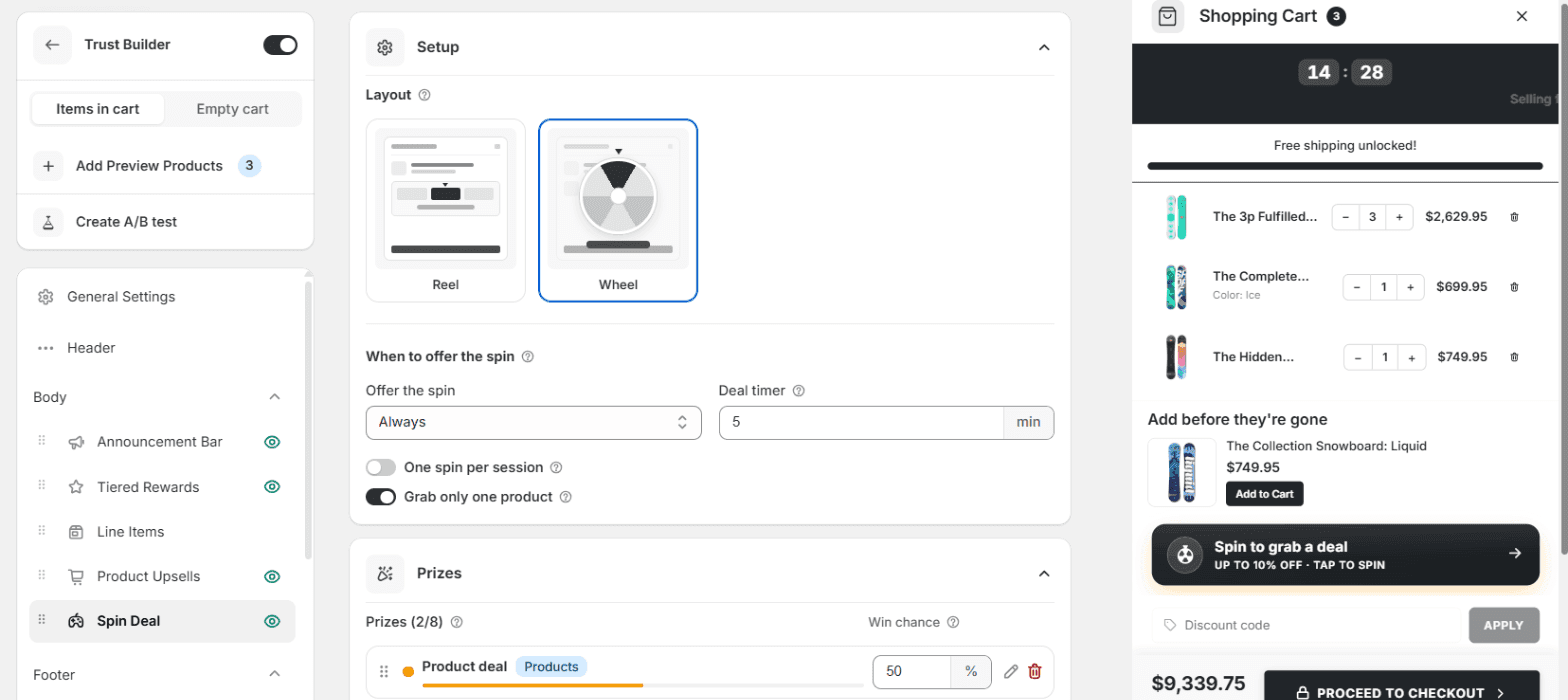
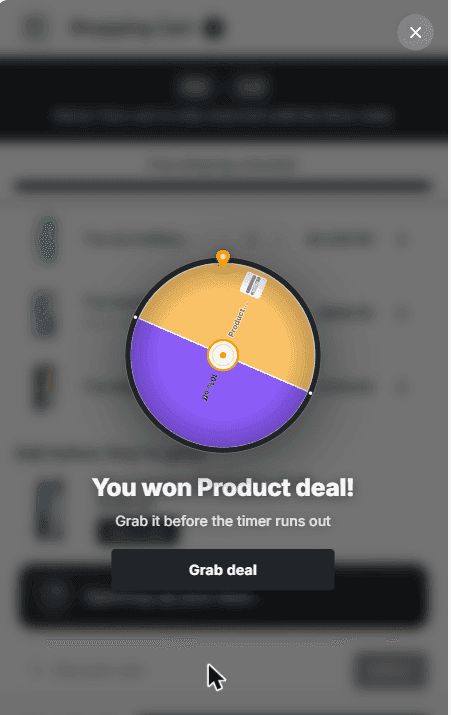
The drawer shows a spin button. Tap it and the game plays out in one of two layouts. The Reel is a slot-style strip that runs inside the drawer. The Wheel opens over the drawer, spins, and shows the win until the shopper taps to carry on.
A prize is one of four things:
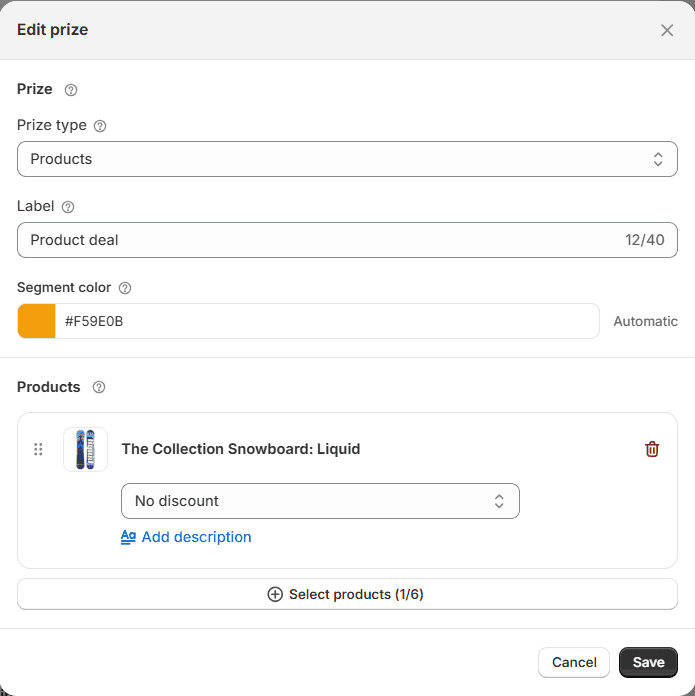
- Products. Up to 6 products the shopper can grab at a discount, each with its own discount.
- Percentage off or Amount off the order.
- Free shipping.
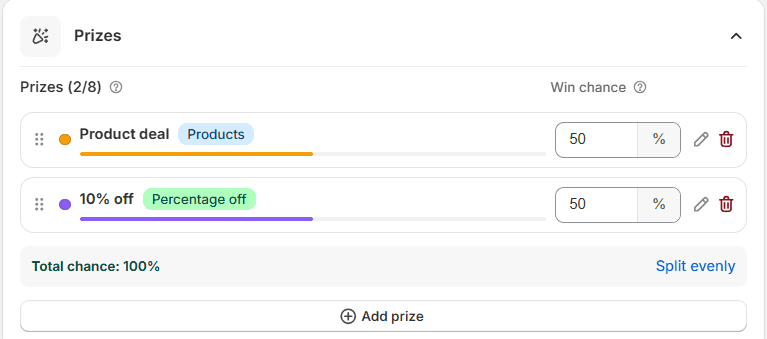
You give each prize a winning chance in percent. The chances always add up to 100, and the editor rebalances the others when you change one. A prize at 0% still shows on the wheel but never wins, which is the honest way to put a big number on the wheel without paying for it.
The discount is applied at checkout by a Shopify Function, which is Shopify’s way of letting an app run its own discount logic inside checkout. You don’t create a discount code, and the shopper never types one.
Setting one up
- Open the app and click Cart Editor, then open your cart.
- In the left list, under Body, click Spin Deal and switch it on with the eye icon next to its name.
- In Setup, pick Reel or Wheel. Under Offer the spin, choose Always or When the cart reaches a subtotal.
- Set the Deal timer: how many minutes the won deal stays claimable, up to 60. Set 0 for no timer.
- In Prizes, click Add prize. Pick a Prize type, give it a Label (it shows on the wheel segment or reel tile) and set its discount or products. Add at least two.
- Adjust the winning chances, or click Split evenly. Then click Save at the top of the editor.
Two more switches in Setup decide how generous the game is. One spin per session lets each shopper spin once per browser session. Grab only one product means a products prize hands over one product, not all of them. Both are on by default. Every piece of text the shopper reads is editable in the Game text card, and the colours follow your cart’s palette unless you change them in Styling.
If you would rather start from a finished cart, the Urgency Engine and Trust Builder templates come with a spin deal already set up, filled with products from your own store.
What the shopper sees
A button in the drawer that says what is at stake, something like “Up to 10% off · Tap to spin”. It sits where you put it in the left list, like any other section.
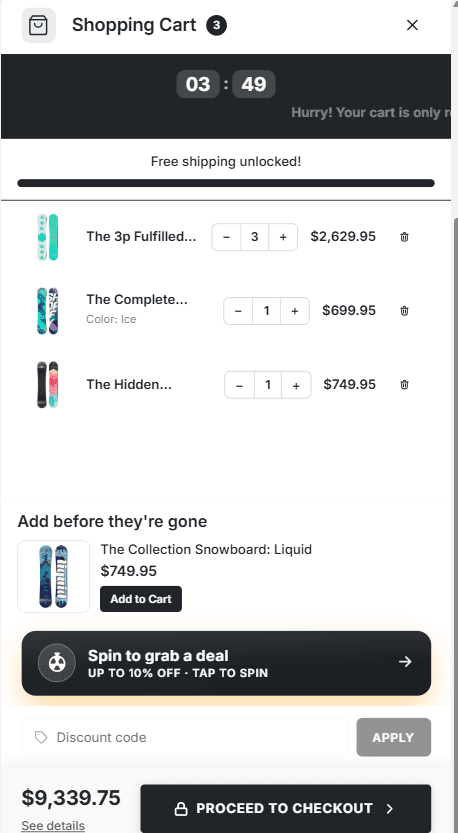
One tap and the game runs for a couple of seconds. With the wheel, it opens over the drawer and stops on the prize.
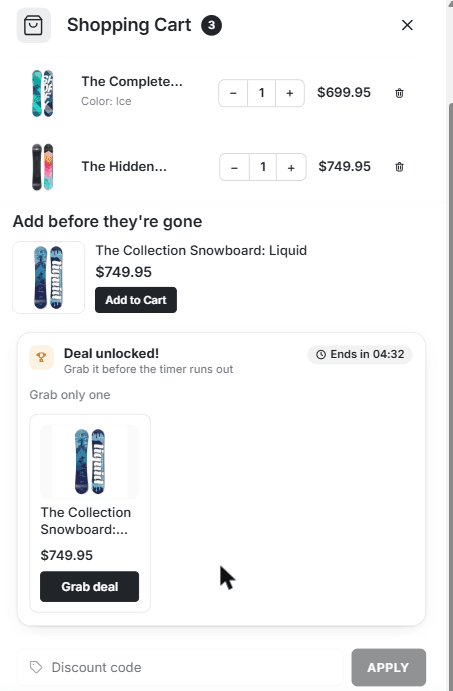
A products prize then shows its products in the drawer, each with its price and a Grab deal button. An order or shipping prize shows a short win message instead. Either way the timer runs next to it, and when it hits zero the unclaimed deal is gone.
Rough edges
Things it does not do yet, so you don’t go looking.
- One spin per session, not per person. A new browser session is a new spin. If a shopper is determined, they can spin again tomorrow.
- 2 to 8 prizes. Fewer than two is not a game, and eight is the cap.
- A grabbed product keeps its deal. The timer limits how long the shopper has to grab. Once a product is in the cart, its discount stays until checkout.
- It stacks. The prize combines with your other discounts. If you run a sitewide sale, price your prizes with that in mind.
Spin Deal is live now for every store on Flash Cart Drawer Upsell. If you set one up and the prizes feel off, send me what you tried.