“Free shipping over $75” on a banner is a rule. The same offer as a bar in the cart, filling up as the shopper adds things, is a goal. Goals get chased: one more item, a bigger size, the matching accessory, because the bar is right there saying how close they are.
The tiered rewards bar in Flash Cart Drawer Upsell does that with up to three milestones, each with its own reward: free shipping, a discount or a free gift. It tells the shopper what is left to unlock the next one, and when they get there it says so, with a card and a burst of confetti if you like.
How the bar works
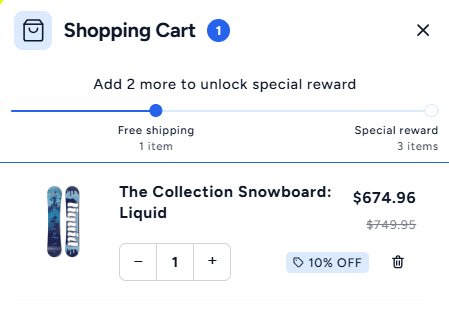
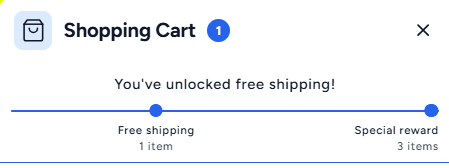
The bar sits at the top of the cart drawer and tracks the cart against your tiers. Below the first tier it shows a progress message (“You’re $25 away from free shipping”); when all tiers are met it shows your completion message. Three looks are built in:
- Milestones: a dot for each reward along the line, with its label, so the whole ladder is visible at a glance.
- Minimal: one thin line and the message, for carts that want to stay quiet.
- Progressive: a bar that fills smoothly as the cart grows.
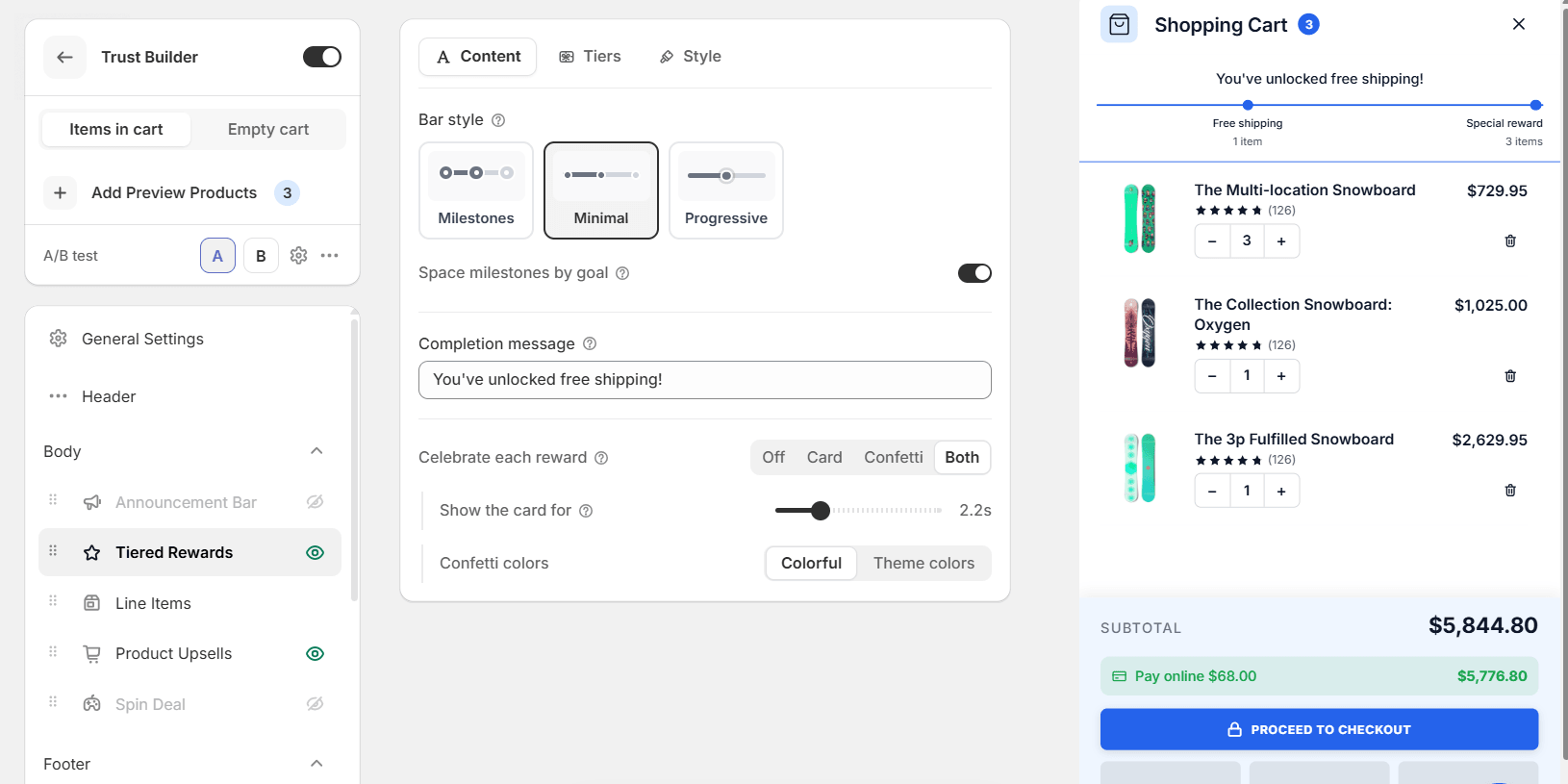
Space milestones by goal places each dot where its threshold sits on the line, so a $50 goal and a $150 goal are not drawn the same distance apart. Turn it off and the milestones are spread evenly.
Tiers: what unlocks, and what it unlocks
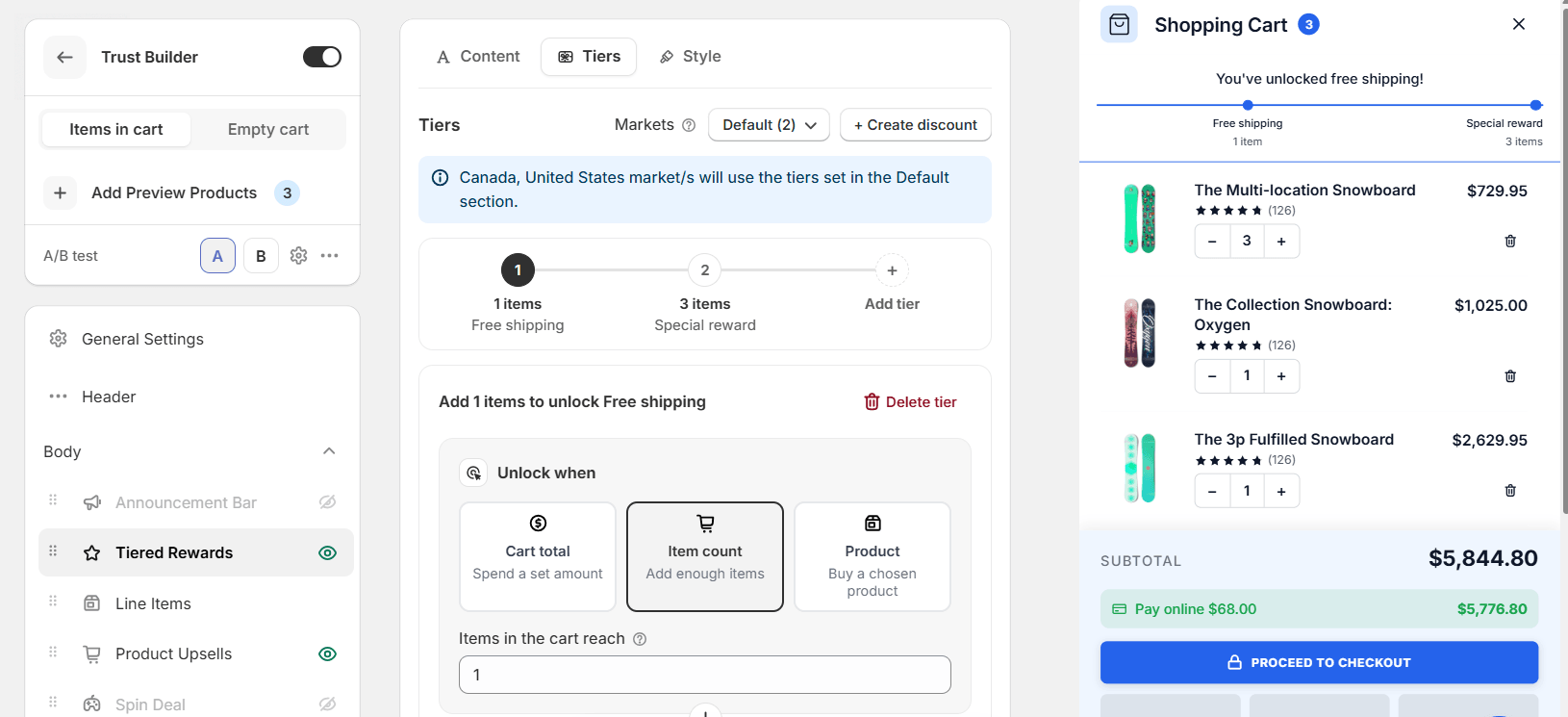
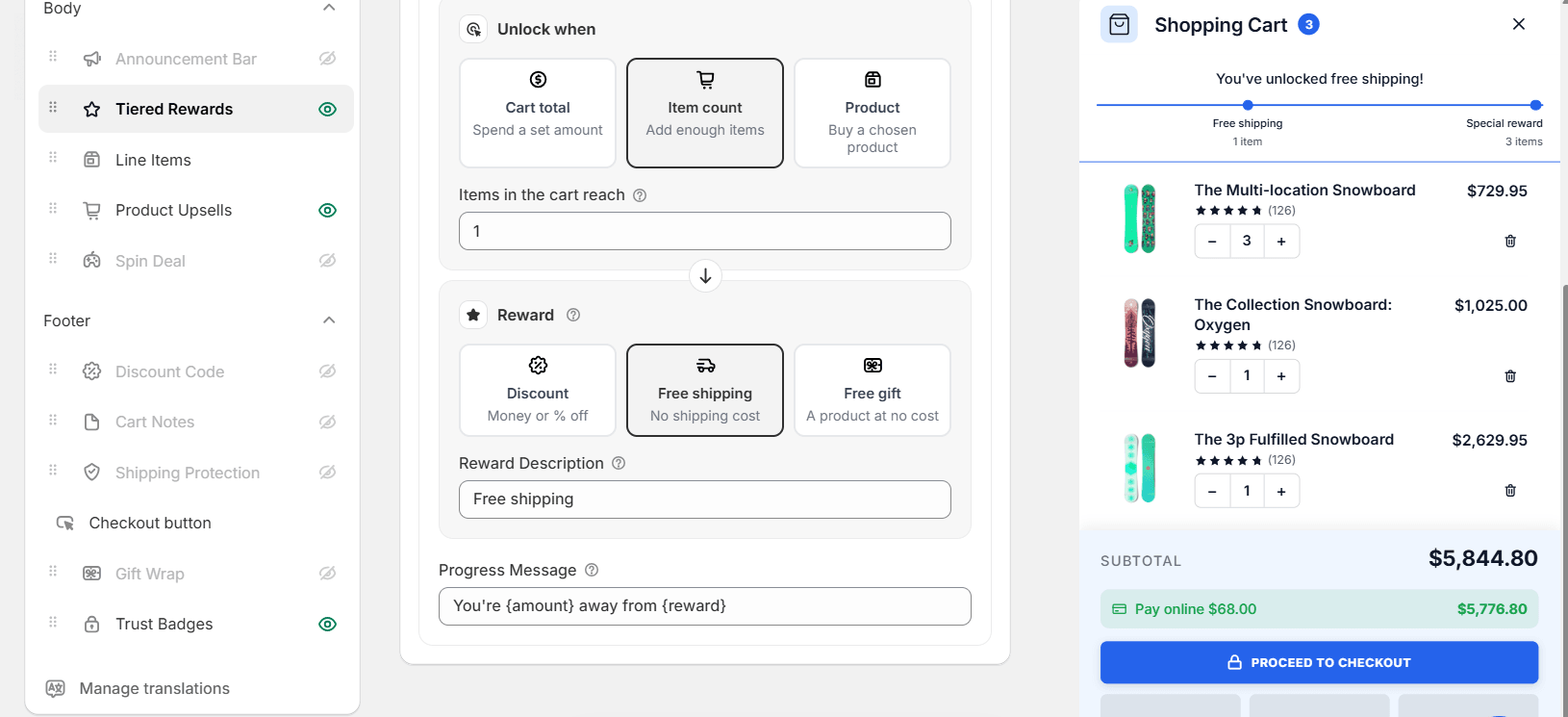
Each tier has two halves. Unlock when is the condition: the cart total reaches an amount, the item count reaches a number, or a chosen product is in the cart. Reward is what the shopper gets: a discount (money or a percentage off), free shipping, or a free gift added to the cart at no cost.
A few things to know as you build the ladder:
- Mix the conditions. Tier one can be an item count, tier two a cart total. The bar still reads as one line.
- Markets can have their own tiers. Thresholds that make sense in one currency rarely do in another; set them per market, and the rest use the default.
- The discount is real. Create discount sets up the Shopify discount the reward applies, so the number on the bar is the number at checkout.
- Gifts are tracked. A free gift is added when its tier is met, and the cart shows it as free. The Buy X, get Y post walks through a product-unlocked gift tier.
Celebrate the unlock
Reaching a goal should feel like something. Celebrate each reward shows a small card in the drawer when a tier is met, throws confetti, or both, and you choose how long the card stays. Confetti can use bright colours or your theme’s, so it fits a dark cart as well as a white one.
Make it match
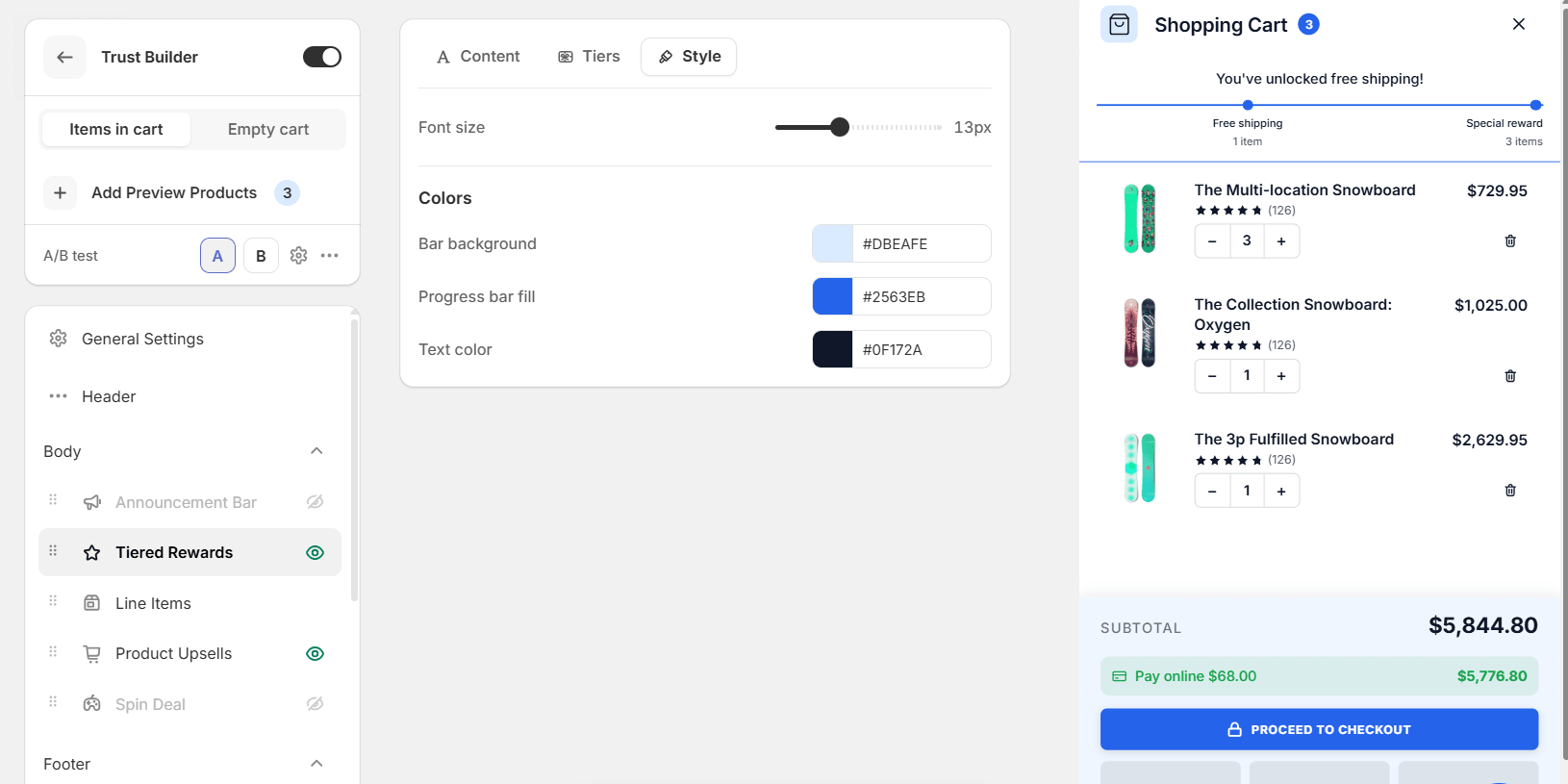
The Style tab sets the font size and the three colours that matter: the bar’s background, the fill of the progress line and the text. Pick them from your theme, or let one of the cart’s colour palettes set them for you.
Set it up
- In Flash Cart Drawer Upsell, open your cart and click Tiered Rewards in the Body list. Make sure its eye icon is on.
- On Tiers, set the first tier: the condition, the reward and its label. Click Add tier for the next, up to three.
- On Content, pick a bar style, write the completion message, and choose how to celebrate.
- On Style, match the colours to your theme, then save.
Good to know
- Set the first goal just above your average order. A goal that is far away is ignored; one that is close gets chased. Your average order value is in Shopify Analytics.
- Make the last tier worth it. A gift or a bigger discount at the top gives shoppers who already have free shipping a reason to keep going.
- Write the messages for your store. {amount} and {reward} fill in the numbers; the words around them are yours.
- Test two ladders. Not sure whether three tiers beat two? Run the cart as an A/B test and let the orders decide.
Tiered rewards are built into Flash Cart Drawer Upsell. Give the cart a goal, and watch the average order climb towards it.