Every cart drawer is a set of guesses. Does a free-shipping bar at the top sell more than an upsell row? Does a dark design convert better than a light one? Does the discount box help, or does it send shoppers off to hunt for codes?
Flash Cart Drawer Upsell lets you stop guessing. Any cart can run as an A/B test: two versions of the drawer, shown to different shoppers, with the orders and revenue of each counted side by side. When one wins, you pick it, and the whole store gets it.
What you can test
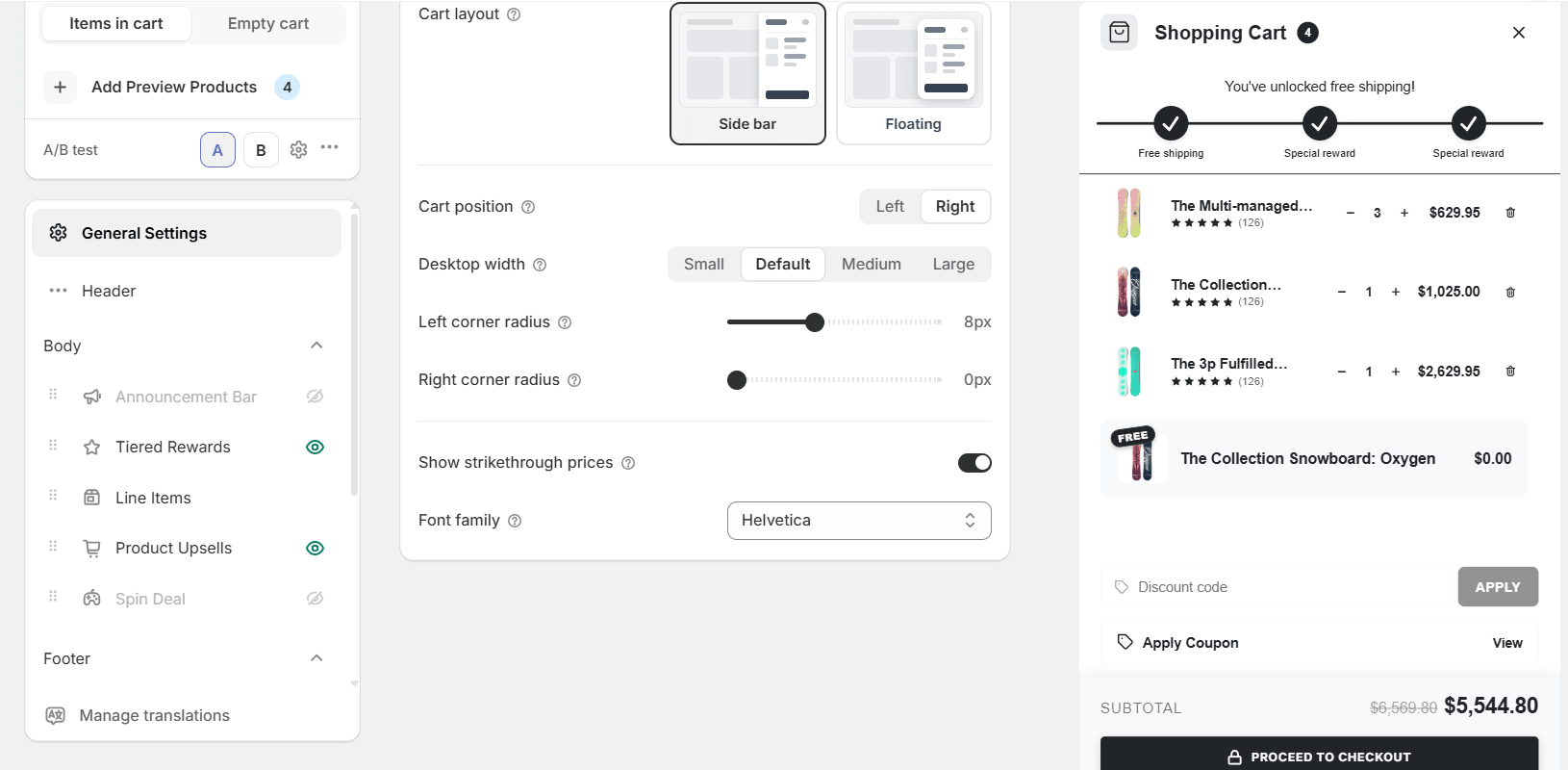
Variant A and variant B are two complete cart designs. Anything you can set in the editor can differ between them: the layout, the colours, which sections are on and in what order, the reward tiers, the upsell rules, the copy on the checkout button. Change one thing to learn what that one thing does; change many to compare two whole ideas.
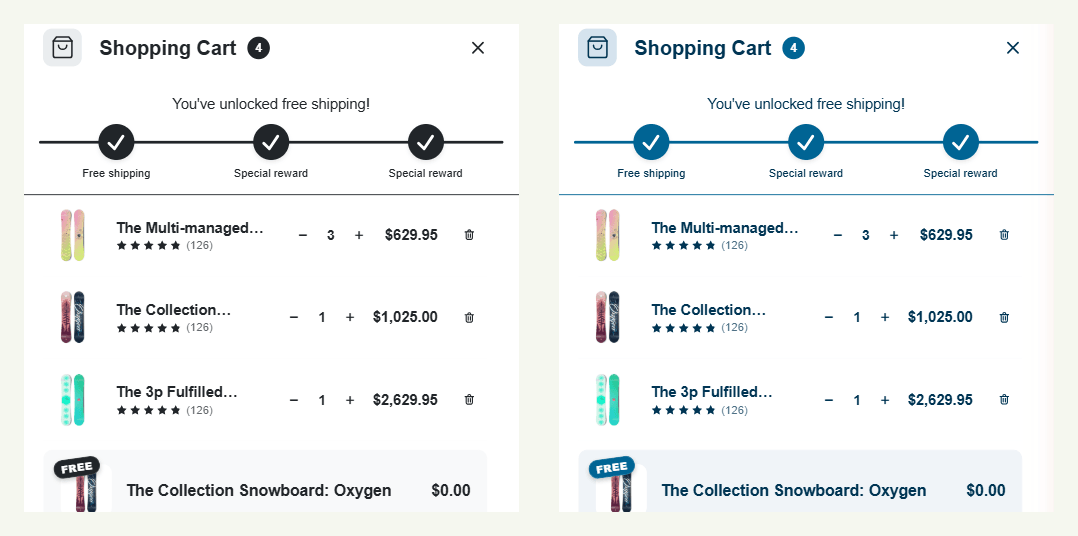
Only one cart is live on the store at a time. When that cart is an A/B test, the app shows A to one share of shoppers and B to the rest, in the proportion you set.
Set it up
- In Flash Cart Drawer Upsell, open the cart you want to test. The A/B test row sits above the settings.
- Click B and change whatever you want to compare. Switch back to A at any time; each letter keeps its own design.
- Click the gear to set the traffic allocation: an even split, or a custom share for B.
- Save, and activate the cart as usual. The test starts with the first visitor.
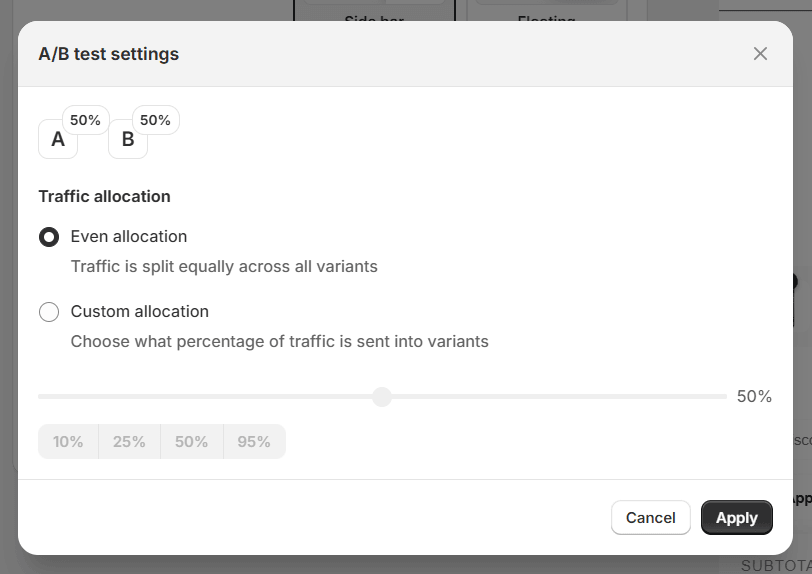
Use the small shares for risky ideas. Sending 10% of shoppers to a very different cart tells you whether it is worth a bigger test, without betting the week on it.
Read the results
The carts list on the app’s home page shows each cart’s numbers, and an A/B cart opens up into one row per variant: visitors, conversion rate, average order value, total revenue and revenue per visitor.
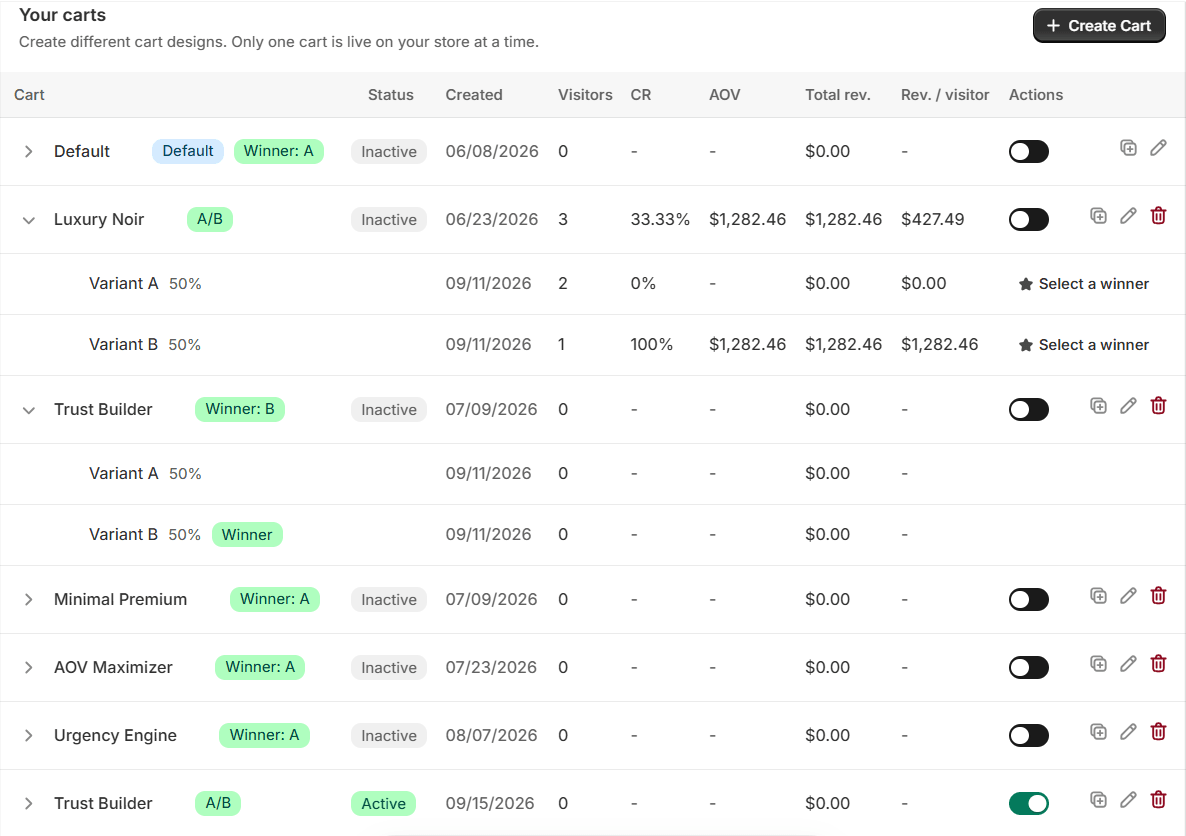
Revenue per visitor is the one to watch. A variant can have a higher conversion rate and still earn less if its orders are smaller; revenue per visitor folds conversion and order value into one figure, so the better cart is the one with the bigger number.
Give a test time. A few dozen visitors prove nothing; a few hundred orders start to. Let it run through at least a full week, so weekday and weekend shoppers both count, and do not change either variant while it runs.
Pick the winner
When the numbers are clear, click Select a winner on the variant that won, from the carts list or from the editor’s A/B menu. The cart then shows that design to every shopper, and the list marks it: Winner: B. Want to keep improving? Open the editor again, change the other variant, and run the next test against the winner.
The same menu has Preview A and Preview B, so you can open either variant on the store before the test starts.
Five tests worth running
- Free-shipping bar on or off. The simplest test, and often the biggest change in average order value.
- Upsells from rules or from Shopify’s recommendations. Hand-picked add-ons against the automatic ones.
- Light against dark. One of the cart templates in a dark palette against the same cart in your brand’s light colours.
- Discount box shown or hidden. Does a visible code field cost you orders from shoppers who leave to look for a code?
- Checkout button copy. “Proceed to checkout” against “Secure checkout”.
A/B testing is built into Flash Cart Drawer Upsell. Make the next change to your cart a test, and let your shoppers decide.