Someone buys your ebook, pays, and waits for the email with the download. It went to spam. They don’t look there. Ten minutes later you have a message that says “I never got my files”, and they have paid for something they can’t open.
The delivery email Flash Digital Downloads sends is not the only email that order produces. Shopify sends its own order confirmation for every order, from its own mail setup, and it is the one buyers expect and look for. It is also far less likely to end up in spam.
So Flash Digital Downloads can now put a Download your files button inside that Shopify email. The buyer opens the confirmation, clicks the button, and gets a page with the files from that order. Our own email keeps going out as before; this is a second way in, not a replacement.
Set it up
Shopify has no way for an app to edit its notification emails, so this part is a copy and paste. You do it once, and it takes about two minutes.
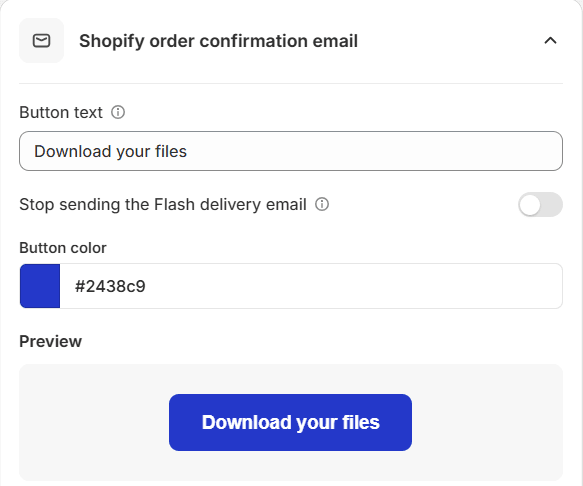
- In Flash Digital Downloads, open Settings. On the Email Preview tab, open the card Shopify order confirmation email.
- Set the Button text and Button color. The Preview under them shows the button as it will look.
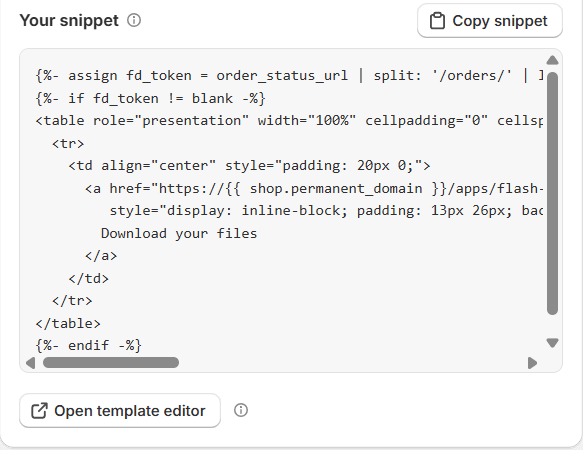
- Click Copy snippet.
- Click Open template editor. It opens Shopify’s Order confirmation template, the same page you reach through Settings > Notifications > Order confirmation > Edit code.
- Paste the snippet at the bottom of the email’s HTML body and click Save.
- Place a test order and open the email.
If Shopify won’t let you edit the template, your sender email is not verified yet. That is the address your store’s emails come from. Shopify asks you to confirm it before you can change any notification code, and it walks you through it in Settings > Notifications.
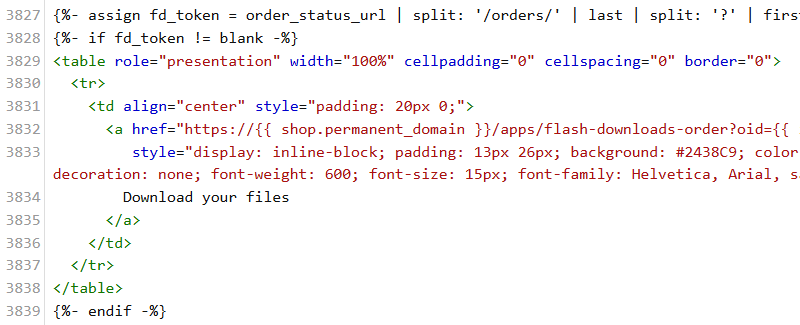
The snippet is plain HTML with the button styles written inline, because Gmail and Outlook throw most other styling away. It looks the same in both.
What the buyer sees
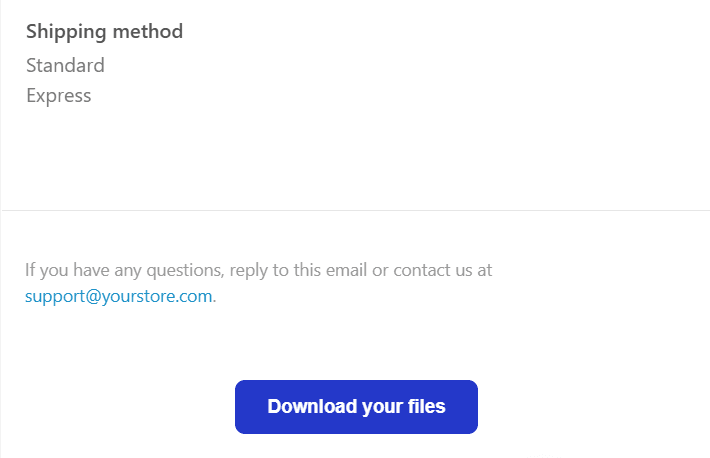
The button sits at the end of the confirmation email, or wherever else in the template you pasted it. A click opens a page on your own store with the files and links from that order, each with its own download button.
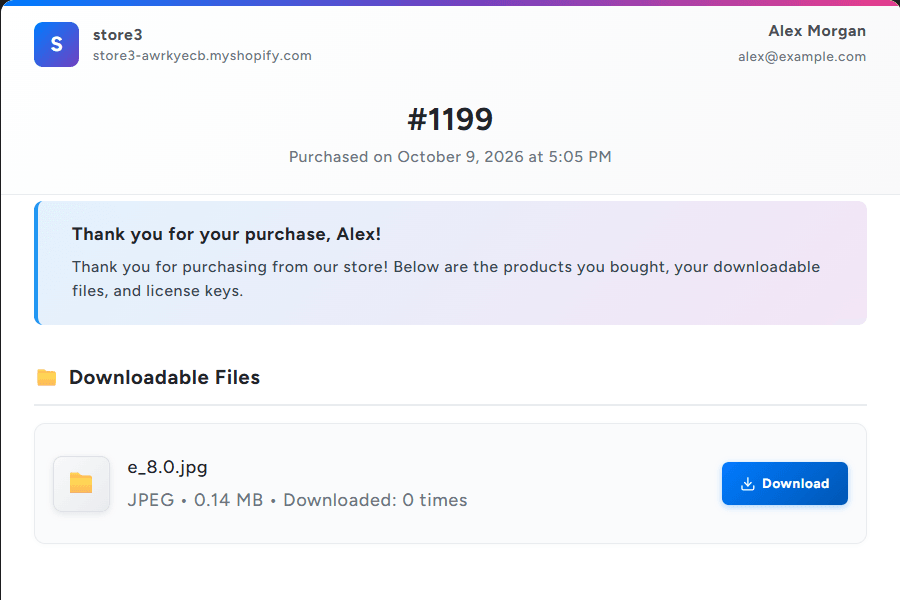
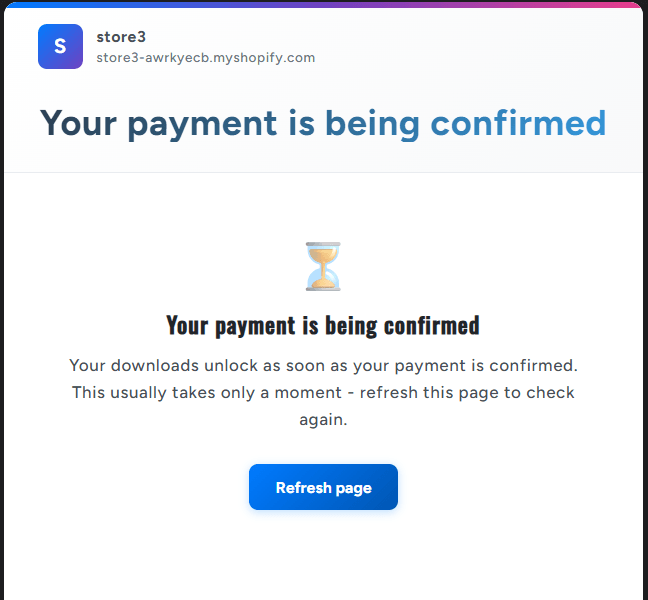
Shopify sends its confirmation the moment an order is placed. The files unlock when the order is paid. With a card that is a few seconds apart; with cash on delivery or a bank transfer it can be days. A buyer who clicks in between gets a page that says Your payment is being confirmed, with a Refresh page button. Once the order is paid, the same link shows the files.
Both pages come in all 15 languages the storefront pages support, chosen from the language the buyer shops in.
Is the link safe to forward?
The link carries two things: the order’s number in Shopify, and the private token Shopify gives every order for its order status page. No name, no email address. The token is long and random, so nobody can guess the link for someone else’s order by changing a number.
A link with a wrong or changed token gets a page that says This download link is not valid, and nothing else. It doesn’t say whose order it was or what was in it. The files themselves are never in the email: their download links are made and signed when the page opens, the same way as in our own delivery email.
A buyer who forwards the confirmation to a friend forwards access to that one order: its files, and the buyer’s name and email shown at the top of the page. That is the same as forwarding any delivery email, and the trade every download email makes.
One email instead of two
With the button in place, every buyer gets two emails with a way to their files. If you would rather send one, the same card has a switch: Stop sending the Flash delivery email.
With it on, orders are still saved, license keys still assigned, and the files still show on the Thank you page, the Order status page and behind the new button. Only the automatic delivery email is skipped. Clicking resend on an order still sends it.
Turn it on only after the snippet is live in your Shopify template and a test order shows the button. An order Shopify sends no confirmation for, such as one you create in the admin without notifying the customer, would then get no email at all.
Things to know
- The pasted snippet is a copy. Change the text or colour in the app later and the email keeps the old one until you paste the new snippet.
- One language. The button text is whatever you type, in every email. Shopify’s template works the same way; if you translate your notifications with Shopify’s own tools, translate the button text there too.
- The button shows on every order. On an order with physical and digital products, the page lists only the digital ones. On an order with nothing digital at all, the page says the payment is being confirmed, which isn’t true. If you sell physical-only orders too, it’s worth knowing.
- Only new emails get it. Confirmations Shopify sent before you pasted the snippet stay as they were.
- Every plan has it, including Free.
The button is live in Flash Digital Downloads now. Paste it once, and the next “I never got my files” has an answer already sitting in their inbox.